
Setup
Install repo-revamp
One command, or two if you prefer to add the marketplace first. Nothing is installed globally and no configuration file is edited by hand.
The one-line install
Scroll the diagram sideways to see all of it.
Text alternative: Step one: add the marketplace with the plugin marketplace add command, passing FiredMosquito831/repo-revamp. Step two: install the plugin with the plugin install command, either by name at danube-labs or in one line with the marketplace flag. Step three: restart Claude Code so the skill, commands and agents load in a new session. Step four: run the revamp command on a repository, which starts the state machine at INTAKE.
The repository is its own marketplace, so one command installs the plugin and registers the marketplace it comes from:
/plugin install repo-revamp --marketplace FiredMosquito831/repo-revampRun it inside Claude Code. The plugin is fetched from the public repository, and the 5 commands and 3 agents become available in the session.
The marketplace route
If you want the marketplace registered on its own, add it first and install from it by name:
/plugin marketplace add FiredMosquito831/repo-revamp
/plugin install repo-revamp@danube-labs
The marketplace is called danube-labs. It lists one plugin, repo-revamp, whose source is the repository root.
From a local clone, point the marketplace at the checkout instead of the repository name:
/plugin marketplace add /absolute/path/to/repo-revamp
/plugin install repo-revamp@danube-labs
Requirements
| Requirement | Why |
|---|---|
| Claude Code with plugin support | Loads the skill, the commands and the agents. |
| git | The revamp works in a worktree and commits to a branch. |
| gh, authenticated | The GitHub steps: pull requests, Pages, repository metadata. |
| Python 3.12 | Runs the builder and the three plugin scripts. |
| Pillow and imagehash, in a scratch environment | Only for perceptual clustering and contact sheets. The inventory and SHA-256 de-duplication use the standard library. |
Nothing else is required. The builder needs Jinja2 and MarkupSafe, pinned in the site's own requirements file; the plugin's install does not add them to any product manifest.
What a working install looks like
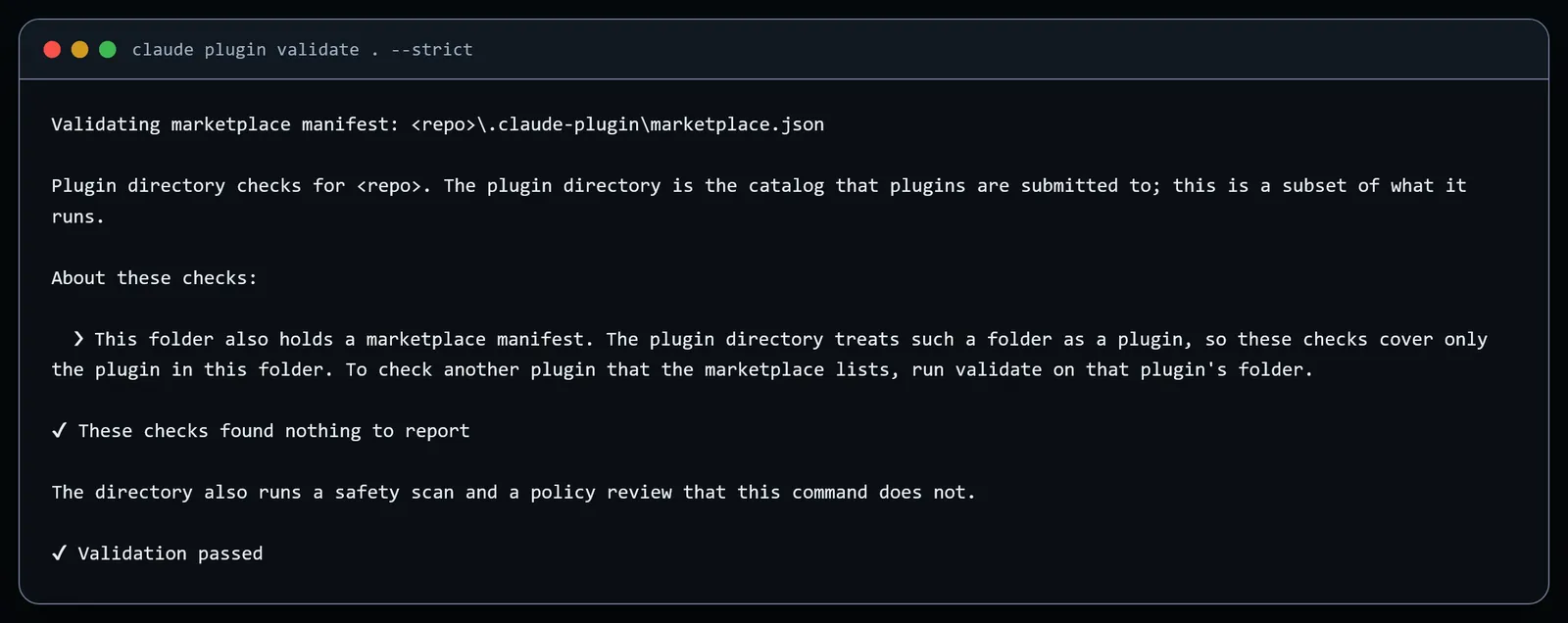
The plugin validates itself before anything is published. The capture below is the real output of claude plugin validate . --strict in a checkout of this repository. Paths are replaced with <repo>; the text is otherwise exact.
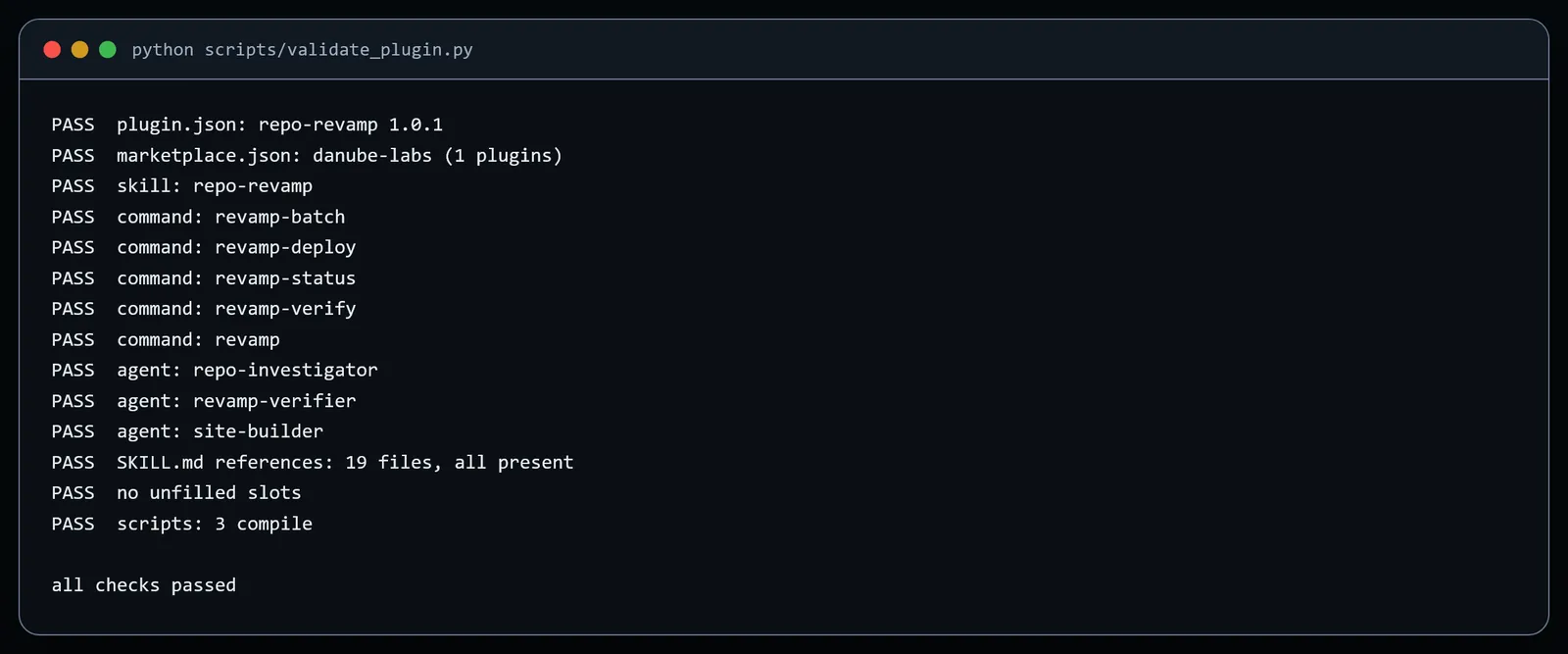
A second check runs the repository's own validator and prints one line per component. It is the check the CI workflow runs on every push.
After a restart, claude plugin details repo-revamp should list the six skills, the three agents and no hooks, MCP servers or LSP servers.
What "installed" means
After a restart the plugin contributes four things to a session: the repo-revamp skill, which is model-invocable, so saying "revamp this repo" loads it; 5 slash commands under the repo-revamp prefix; 3 subagents that the skill can delegate to; and the working files the playbook writes outside the repository. It adds no hooks, no MCP servers and no LSP servers.
The skill is the contract and the state machine. The commands are entry points into it. The agents are the delegated workers. Nothing runs until you ask for a revamp, and nothing in your repositories changes until a revamp command starts.
Update and uninstall
Updates come from the marketplace. Refresh the marketplace and reinstall the plugin; the version in .claude-plugin/plugin.json is the only place the version is declared.
/plugin marketplace update danube-labs
/plugin update repo-revamp@danube-labs
To remove it, uninstall the plugin and, if you added it only for this, remove the marketplace:
/plugin uninstall repo-revamp@danube-labs
/plugin marketplace remove danube-labsNext
With the plugin installed, the quick start walks through a first revamp and the reference lists every command, agent, reference file, template and script.